

CAD models for STAUFF products
Direct access, flexible configuration and bespoke solutions
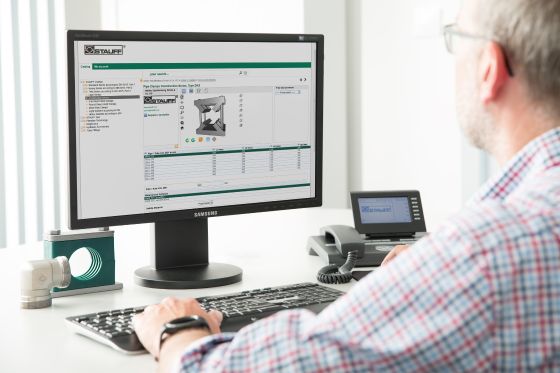
Provision of CAD models at STAUFF
Design engineers and planners can find CAD models at STAUFF quickly and in a variety of ways – always tailored to the specific application.
Whether it’s a direct download from the product details page, custom configuration via our CAD platform or a request for a bespoke model: we ensure that you receive exactly the data you need for your design.
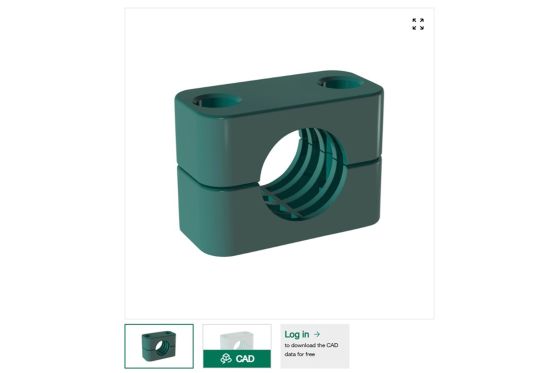
Download CAD models directly from the product page
For many standard products, CAD models are now available exactly where they are needed in day-to-day work – directly on the relevant product detail page on stauff.com.
Once you’ve logged into your STAUFF account, you can immediately download the relevant CAD model for selected products.
Your benefits:
- The quickest access with no detours
- Download directly within the context of the specific product
- Currently available for over 5,500 products and continuously being expanded
- STEP format for direct further processing
Flexibly configure CAD models
For many product groups, STAUFF also offers the option to customise CAD models.
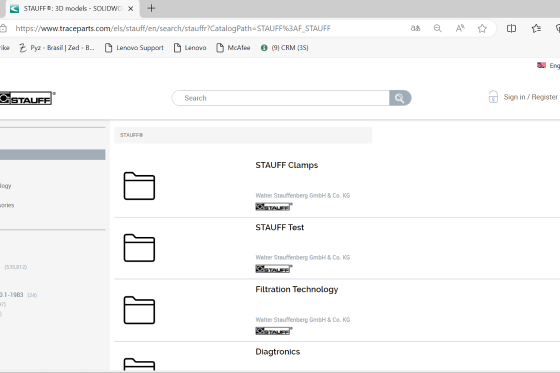
Using the CAD platform based on TraceParts, variants can be customised as required – for example, in terms of dimensions, connection types or designs. Neutral exchange formats such as STEP, IGES, SAT and JT are available, as well as native CAD formats for programmes such as SolidWorks, CATIA and Inventor, and drawing formats such as DWG and DXF.
Your benefits:
- Parametric models tailored to your application
- Export to numerous CAD formats
- Compatible with common design systems
- Ideal for project-specific requirements
Request custom CAD models
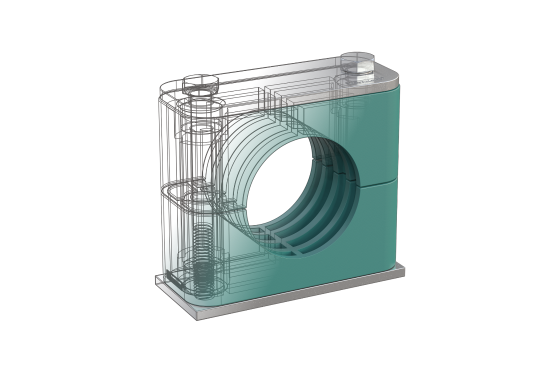
Not every application can be accommodated using standard models. For special requirements, STAUFF can also support you with bespoke CAD models.
By submitting an enquiry, we can take into account specific modifications, non-standard dimensions or special formats.
Typical applications:
- Deviations from standard geometries
- Special designs
- Project-specific designs
For Debitor Account Customers only: Download CAD models via bulk download
An additional service is available to STAUFF’s Debitor Account Customers: the CAD File Explorer enables you to search for models by part number in a list view within your personal customer area and, if required, to download several CAD models in STEP format at the same time by simply selecting them.
Which access method is right for me?
The choice of the right access method depends on the specific application:
Direct download from the product page:
If you have selected a specific product and need a model quicklyConfiguration via the CAD platform:
If variants or specific parameters are requiredCustom enquiry:
If standard models are not sufficient
What are CAD models and how are they used?
Find out more about the basics, formats and possible applications in the design process.
FAQs
Which CAD models does STAUFF provide?
STAUFF provides CAD models for a wide range of fluid power products, including pipe clamps, pipe fittings, quick-release couplings, valves and ball valves.
The models are available both directly on product detail pages and via a central CAD database.
In which formats can I download CAD models?
Various formats are available depending on the access method.
On product detail pages, downloads are currently available in STEP format. Via the CAD database, additional formats such as IGES, DWG, DXF or SAT can also be selected.
Do I need a user account to download the files?
Yes. To access CAD models on stauff.com, you must log in to your STAUFF account.
Registration is free of charge and gives you direct access to the available CAD data.
Are the CAD models dimensionally accurate and suitable for design purposes?
The CAD models provided support design and planning, but do not replace technical verification in specific applications.
They serve as a basis for integrating the components into your design and must be checked within the context of the specific project.
How long does it take to create a custom CAD model?
The processing time depends on the complexity of the enquiry and the requested modifications.
Once we have received your enquiry, STAUFF will review the requirements and inform you of the next steps.
Legal notice
All CAD data provided is for guidance only and is not binding; it must be checked before use in a specific application.